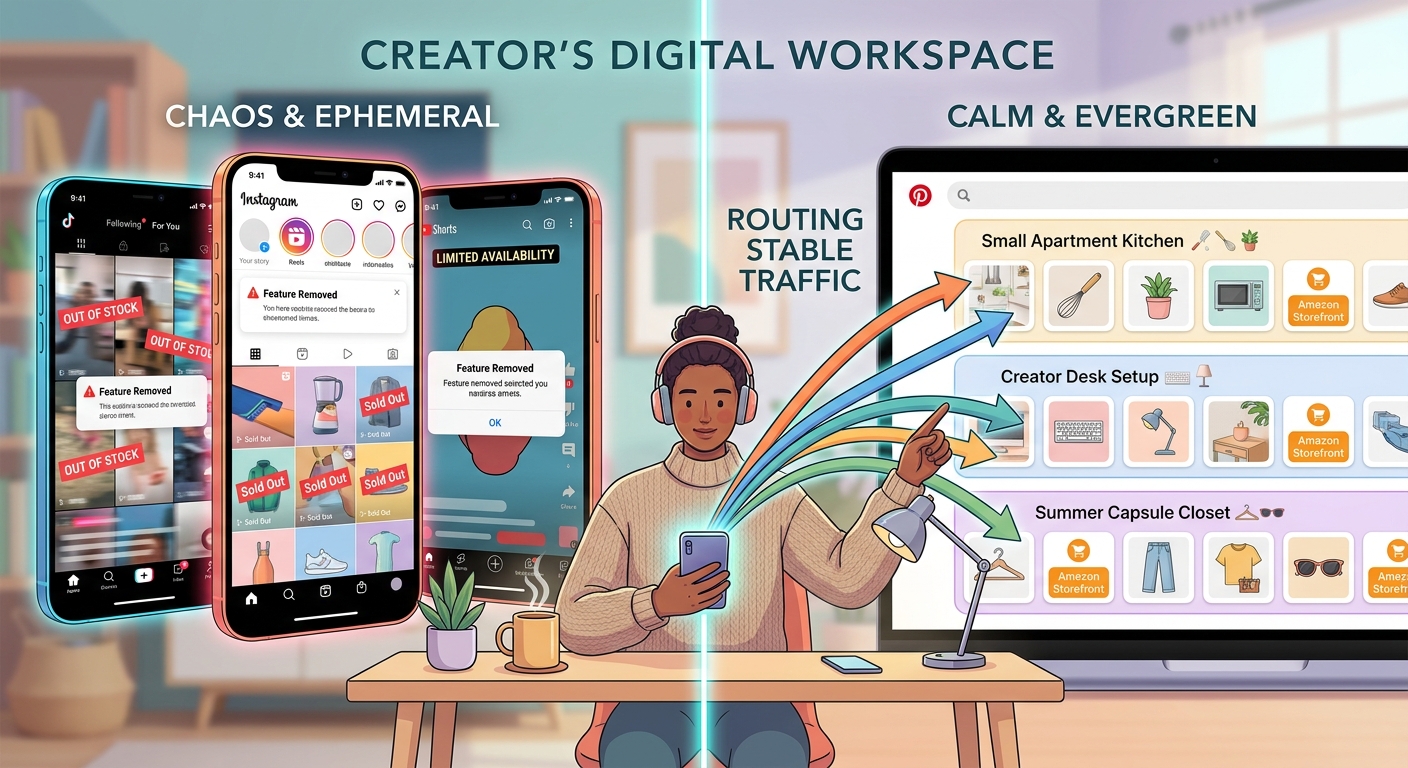
If you make money from social platforms, you already know the stress. One app tweaks its algorithm, one shopping feature gets moved, and suddenly your sales dip for reasons nobody can clearly explain. That is why Pinterest quietly adding support for Amazon Influencer Storefront links matters more than it may seem at first. For creators, this is not just another button to click. It is a chance to turn short-lived social posts into search-friendly shopping content that can keep bringing in clicks weeks or even months later. The big opportunity with Pinterest Amazon Storefront integration for influencers is simple. It gives you a more stable path between discovery and purchase, especially if you are tired of relying only on TikTok, Instagram, or YouTube. The smart move now is to set up your Pinterest profile, connect your Amazon Storefront cleanly, and start posting product-focused Pins that match the content you already know performs well elsewhere.
⚡ In a Hurry? Key Takeaways
- Pinterest now gives Amazon Influencers a real way to turn Pins into shopping entry points for their Storefronts, which can outlast the short shelf life of most videos.
- Start by linking your Storefront properly, creating keyword-rich product Pins, and repurposing your best TikTok, Instagram, and YouTube ideas into Pinterest-friendly formats.
- Do not dump random affiliate links everywhere. Keep disclosures clear, use focused boards, and track which Pins actually send traffic and sales.
What Actually Changed
Pinterest has been building out shopping tools for years, but this Amazon tie-in changes the conversation for creators.
Instead of treating Pinterest as just a mood board or traffic side quest, Amazon Influencers can now use it more directly as a shopping surface. In plain English, that means your Pins can point people toward your Amazon Storefront in a way that feels more natural for product discovery.
That matters because Pinterest users often arrive with buying intent. They are not always there to watch a personality-driven video for ten minutes. They are there to find ideas, compare options, save products, and come back later when they are ready to buy.
That is a very different kind of traffic from viral social traffic. It is slower. But it is often warmer.
Why Creators Should Care Right Now
TikTok can spike sales fast. Instagram can still help. YouTube can be great when a video catches on. But all three have the same problem. Their shopping traffic usually depends on momentum.
Once the post cools off, the clicks often cool off too.
Pinterest works differently. A well-made Pin can keep surfacing in search and recommendations long after you post it. That gives creators something many of them badly need right now. Breathing room.
For small brands and Amazon Influencers, Pinterest Amazon Storefront integration for influencers could become the missing middle between short-form attention and actual purchase intent.
What To Do First
1. Clean up your Amazon Storefront before you pin anything
If your Storefront is messy, Pinterest will not save you.
Before you start posting, make sure your Amazon Influencer Storefront has:
- clear category lists
- updated product collections
- consistent product themes
- a profile image and bio that match your social channels
If someone clicks from Pinterest and lands on a random-looking Storefront with no clear organization, you lose trust fast.
2. Set up Pinterest like a storefront, not a scrapbook
This is where many creators go wrong. They post a few scattered graphics, give boards cute names, and hope for the best.
Better idea. Build boards around shopping intent.
Examples:
- Home Office Finds Under $50
- Creator Gear I Actually Use
- Kitchen Tools Worth Buying on Amazon
- Travel Essentials for Carry-On Only
Those titles are plain on purpose. They match how normal people search.
3. Use your best-performing content themes from other platforms
You do not need a whole new content life for Pinterest.
Look at what already works on TikTok, Instagram Reels, and YouTube Shorts. Then turn those ideas into Pins. If your audience loves “Amazon kitchen finds,” “desk setup upgrades,” or “beauty products that surprised me,” start there.
The format changes. The idea does not have to.
A strong workflow looks like this:
- short video performs on TikTok
- top product or theme gets turned into a Pinterest Pin
- Pin links to your Amazon Storefront or a relevant collection
- board groups similar buying ideas together
How To Make Pins That Actually Get Clicks
Use clear images and readable text
Pinterest is not the place for cluttered thumbnails or inside jokes. People scroll fast and save what makes sense right away.
Your Pin should quickly answer one of these questions:
- What is this product?
- Why should I care?
- Who is this for?
- What problem does it solve?
Simple text overlays often work better than overdesigned graphics.
Write descriptions like a helpful shopper, not a hype machine
Skip the hard sell. Write descriptions the way a good store associate would talk.
For example:
“These are the desk accessories I keep rebuying because they make a small workspace feel less cramped. Linked through my Amazon Storefront.”
That is a lot more believable than “must-have game-changing products.”
Use keywords people really search for
This part matters because Pinterest behaves more like a search engine than many creators realize.
Good keyword examples include:
- Pinterest Amazon Storefront integration for influencers
- Amazon finds for small apartments
- creator office setup Amazon
- travel essentials Amazon Storefront
- best beauty tools on Amazon
Use those naturally in your Pin title, description, and board names. Do not stuff them in awkwardly.
How To Fit This Into Your Existing Social Workflow
The easiest mistake is treating Pinterest as one more exhausting platform to feed every day.
Do not do that.
Treat Pinterest like your content library for shopping ideas. Your fast-moving platforms create the spark. Pinterest stores the useful parts where people can find them later.
A simple weekly system
- Pick your top 3 products or themes from this week’s videos
- Create 3 to 5 fresh Pins from those themes
- Link each Pin to the most relevant Amazon Storefront page
- Save them to tightly themed boards
- Review clicks and saves after two weeks
This keeps your workload realistic. It also helps you build a backlog of searchable shopping content over time.
What Small Brands Should Do
If you are a small brand working with Amazon Influencers, this is worth testing now, not later.
Ask your creator partners to build Pinterest assets around products they already feature in short-form content. Give them clean product images, a few suggested search-friendly titles, and a direct path to the right Amazon destination.
The goal is not just more exposure. It is better shelf life.
A TikTok post may flare up and vanish. A Pinterest Pin can keep circulating while your creator moves on to their next campaign.
Common Mistakes To Avoid
Posting too broadly
If one board mixes skincare, laptop stands, dog toys, and camping stoves, it confuses both the platform and the shopper.
Linking to the wrong place
Do not send people to a generic Amazon page if your Storefront has a better curated destination. Fewer steps usually means more conversions.
Ignoring disclosures
If your links may earn a commission, say so clearly. Being transparent is not just safer. It builds trust.
Expecting instant viral results
Pinterest can be powerful, but it usually works like a slow burn. Give your Pins time to index, circulate, and build traction.
How To Measure If It Is Working
You do not need a complicated analytics dashboard to start.
Watch for:
- outbound clicks from Pinterest
- saves on product Pins
- which boards drive the most engagement
- which product themes lead to Storefront traffic
- whether older Pins keep sending visitors over time
If one topic keeps getting saves and clicks, make more around that same buying intent.
Who Benefits Most From This
This setup is especially useful for creators in categories that already do well with search and discovery.
- home decor
- organization
- beauty
- fashion basics
- kitchen tools
- parenting gear
- travel products
- creator tech and office setups
If your content naturally answers “what should I buy?” Pinterest is a better fit than many creators think.
At a Glance: Comparison
| Feature/Aspect | Details | Verdict |
|---|---|---|
| Traffic lifespan | TikTok and Reels can spike fast, but Pinterest Pins often keep getting discovered through search and saves over a longer period. | Strong for steady, durable shopping traffic. |
| Setup effort | You need a tidy Amazon Storefront, focused Pinterest boards, and Pins built around product keywords and buying intent. | Worth the initial cleanup if you want less platform dependency. |
| Best use case | Repurposing proven product ideas from TikTok, Instagram, and YouTube into searchable Pins that link to curated Amazon collections. | Best as a long-tail shopping layer, not a replacement for all social content. |
Conclusion
If you are tired of feeling like your income depends on whatever a social app decides to change next week, this is one of the more practical opportunities to test. Amazon Influencers and small brands need something steadier than TikTok Shop swings and YouTube shopping changes. Pinterest’s new Storefront connection offers a cheaper, calmer way to build search-driven shopping traffic that can keep working after the original post fades. Start small. Clean up your Storefront, make a few focused boards, and turn your best product content into Pins with clear buying intent. Very few creators are wiring Pinterest into their TikTok, Instagram, and YouTube workflow well right now. That is exactly why this opening matters.