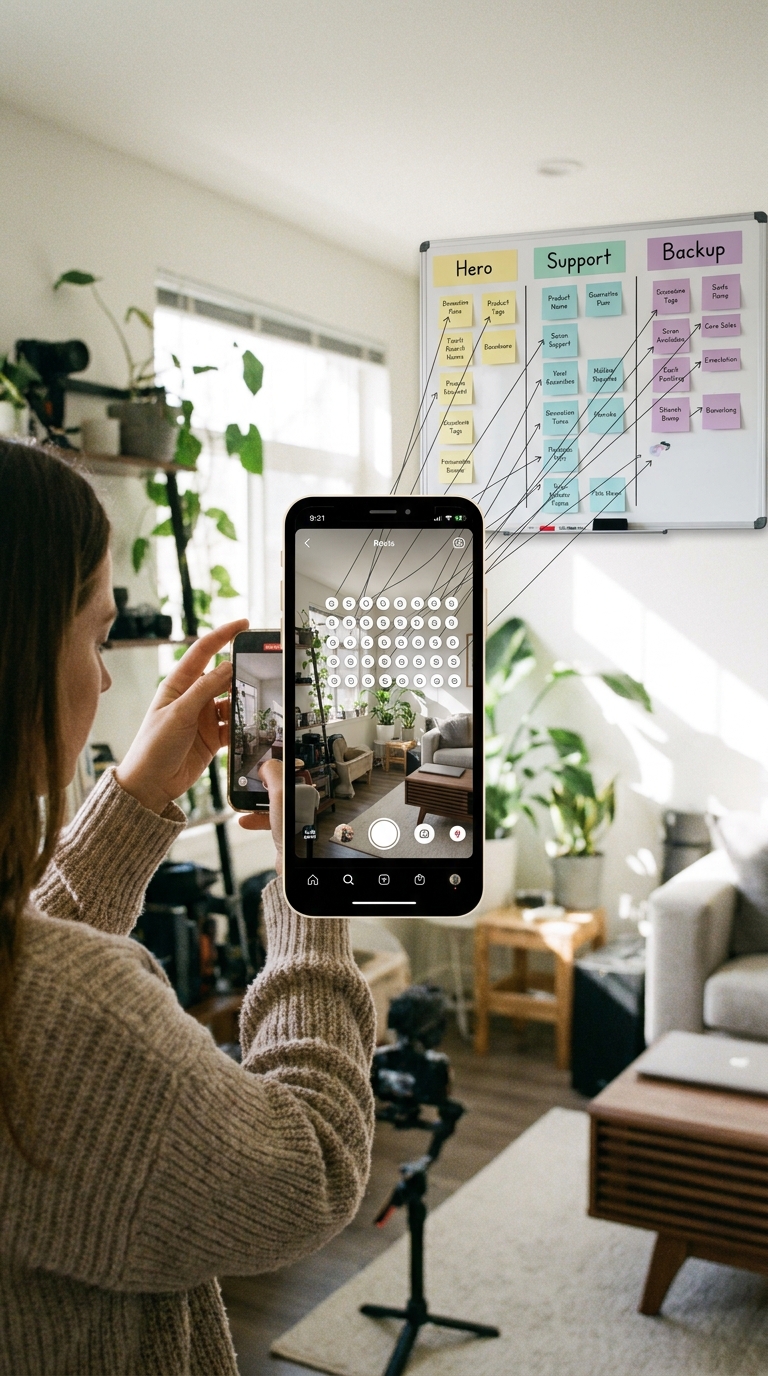
You can now tag up to 30 products in one Instagram Reel, which sounds great until you actually try to use it. Tag too few, and you miss easy add-on sales. Tag too many, and your Reel starts to feel like a messy shop window with flashing sale stickers everywhere. That is the trap. A lot of creators are either tossing in every SKU they sell or sticking with one safe hero product out of habit. Both choices can hurt watch time, trust and conversion. The smarter move is to treat your Reel like a map, not a catalogue. One Reel should guide people from the main item to the supporting items that naturally belong with it. Done well, viewers stay watching because the content still feels useful, and shoppers get more ways to buy without feeling pushed. That is the real Instagram Reels shopping 30 product tags strategy worth testing now.
⚡ In a Hurry? Key Takeaways
- Use the 30-tag limit as a layered storefront, not a product dump. Most Reels should feature 5 to 12 highly relevant tags, not all 30.
- Build a “Reel Map” with one hero item, a few supporting products and a couple of upgrade or bundle options tied to what appears on screen.
- If tags do not match the story of the Reel, people will feel sold to and drop off. Relevance protects watch time and trust.
Why this small Instagram change matters so much
Instagram did not just add more tag slots. It changed the job of a Reel.
Before, a shopping Reel often worked like a single-product pitch. Show the jacket. Tag the jacket. Hope people tap. Now a Reel can act more like a mini storefront. Jacket, boots, bag, belt, sunglasses, and the cheaper alternative can all live in the same post.
That is powerful, but only if the tagging matches the viewer journey.
Think about how normal people watch Reels. They are not opening Instagram to browse a spreadsheet of products. They want a quick idea, a solve for a problem, or a bit of inspiration. Your tags need to sit behind that experience, not stomp all over it.
What a “30-Tag Reel Map” actually means
A Reel Map is a simple way to plan product tags by role.
Layer 1: The hero product
This is the reason the Reel exists. It is the item named in the hook, shown first, or solving the main problem.
Examples:
- The standing desk in a home office makeover
- The lip stain in a “lasts through lunch” beauty test
- The air fryer in a fast dinner Reel
Layer 2: The obvious companions
These are products clearly visible or naturally used with the hero item.
Examples:
- Desk lamp, cable tray, office chair
- Lip liner, gloss topper, makeup remover
- Silicone basket liners, oil sprayer, spice set
Layer 3: The basket builders
These are the items that raise order value without feeling random. They should still make sense in the context of the Reel.
Examples:
- Monitor riser, wrist rest, notebook
- Travel pouch, mirror, brush set
- Meal prep containers, cookbook, digital thermometer
Layer 4: The alternate paths
This is where you add a budget option, premium version, different colourway, or replacement size. Not everyone wants the exact item you used.
This is the part many creators miss. A viewer may like your content but not your exact product. A smart alternate tag keeps that shopper in your world.
How many products should you really tag?
Just because Instagram allows 30 does not mean every Reel should use 30.
For most creators and small brands, the sweet spot will probably be:
- 3 to 5 tags for a tightly focused demo Reel
- 5 to 12 tags for a room, outfit, recipe or routine Reel
- 12 to 20 tags for a true roundup or “shop the whole look” post
Using all 30 should be rare. Think seasonal gift guides, full room reveals, or a “top picks under £25” style Reel where viewers expect variety.
If the extra tags are not visible, mentioned, or clearly connected, they are probably clutter.
The best rule: tag what the viewer can understand in one glance
This is the gut check.
If someone pauses your Reel at any point, can they make sense of why those products are attached to this video? If yes, good. If not, trim the list.
That is how you avoid the “discount flyer” problem.
A simple Reel Map playbook you can start using today
1. Pick one clear shopping intent
Every Reel needs one main buying mood.
Ask yourself which of these fits best:
- Buy this exact thing
- Shop this whole look
- Copy this setup
- Get the tools behind this result
If you mix all four, the post gets muddy fast.
2. Write your tags before you post
Do not add tags as an afterthought. Make a short list first.
Use this order:
- Hero item
- Visible support items
- Useful add-ons
- One or two alternate options
If you hit 30 while planning, that is usually a sign you are trying to sell too much in one Reel.
3. Match on-screen moments to product layers
This is where the strategy gets good.
When the hero item appears in the first seconds, that is your Layer 1 moment. When the camera widens and shows the full setup, that supports Layer 2. If you later mention comfort, durability or clean-up, that is where Layer 3 or 4 makes sense.
You are not just tagging products. You are tagging moments of interest.
4. Keep the caption focused
If the Reel is doing the showing, the caption should do the guiding.
Good caption examples:
- “Tagged the full desk setup, plus the cheaper lamp option people always ask about.”
- “Everything in this routine is tagged, but start with the serum if you only want one.”
- “Shop the whole outfit or just the boots. Both are tagged.”
That helps people know where to start.
5. Track which layer converts
This is the bit that separates guesswork from a real system.
After posting, log:
- Total views
- Watch time or retention if available
- Product taps
- Top clicked tags
- Sales by tag group if you can see them
You want to learn whether viewers buy the hero product, the companions, or the alternates.
Sometimes the “main” item gets attention, but the accessory does the selling. That is valuable information you can reuse everywhere.
What hurts watch time fastest
Tagging products not shown in the Reel
This is the quickest way to lose trust. If the tag feels like bait, viewers notice.
Turning a tutorial into a stock list
If every second screams “buy this too,” people stop watching the actual content.
Adding random extras for basket size
A coffee Reel is not the place to quietly tag your tote bag, hoodie and phone case unless they are part of the story.
No hero product at all
When everything is tagged, nothing feels important. Viewers need a starting point.
Formats that work especially well with 30 product tags
Some Reel types are naturally better suited to this new limit.
Room or desk setups
These are ideal because viewers already expect multiple items.
Outfit breakdowns
Top, trousers, shoes, bag, jewellery and alternate sizes all make sense here.
Beauty routines
Skincare and makeup steps naturally stack into a clean shopping path.
Recipe and kitchen tool Reels
Appliance, utensils, storage, seasonings and serving pieces can all fit, if shown clearly.
Travel packing and “what’s in my bag” posts
These are basically built for layered tagging.
Where this goes beyond Instagram
This is why the Reel Map idea matters more than one app update. Once you know which product layers people actually tap, you can move that learning across your whole commerce stack.
The winning bundle from an Instagram Reel can become a TikTok Shop carousel. The top-clicked companions can go into your YouTube Shopping shelf. Your best-converting setup can become an Amazon Influencer idea list.
And if your social content gets clicks but sales die when shoppers land on Amazon, it is worth reading The New ‘AI Shelf Hijack’: How Amazon’s Rufus Is Quietly Rewriting TikTok, Insta And YouTube Shopping Scripts. It explains why a good social video does not always become a good Amazon sale, which is a headache plenty of creators know too well.
A quick example of a strong Reel Map
Let’s say you post a Reel called “My tiny balcony dinner setup for under £150.”
A weak version would tag 25 unrelated home items from your shop.
A stronger version would look like this:
- Hero: foldable bistro table
- Companions: two chairs, outdoor string lights, table runner
- Basket builders: candle lantern, melamine plates, cushion covers
- Alternates: smaller table option, solar light option
That feels coherent. People can shop the idea, not just the inventory.
At a Glance: Comparison
| Feature/Aspect | Details | Verdict |
|---|---|---|
| Using all 30 tags | Best only for full look, room reveal, gift guide or broad roundup Reels where viewers expect lots of options. | Use sparingly |
| Layered Reel Map | One hero product, supporting items, basket builders and alternates tied directly to the on-screen story. | Best overall strategy |
| Random or unrelated tags | Confuses viewers, weakens trust and can make a Reel feel more like an ad than content worth watching. | Avoid |
Conclusion
Instagram quietly expanding Reels to 30 shoppable products per video changes the maths overnight for social commerce, especially after Cannes 2026 pushed commerce back into the centre of Reels strategy. The mistake now is thinking more tags automatically means more sales. Usually it just means more noise. The better move is to build a clear Reel Map, test which tag layer actually gets taps and sales, then carry those winners into TikTok Shop carousels, YouTube Shopping shelves and Amazon Influencer lists. That is how small brands and creators can move faster than bigger teams. You do not need a giant agency deck. You need one useful Reel, a sensible tag structure and a simple log of what worked. Start there, and each post can become more than content. It becomes a storefront that still respects the viewer’s time.